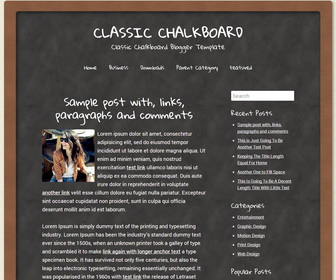
Classic Chalkboard Blogger Template is Responsive, Classic School Blogger Template. Classic Chalkboard has 1 Sidebar, 2 Columns, Rounded corners with Minimalist, Black Color Layout.
Note: This theme has been updated to the Blogger Template version 2 fixing issues of first version.
How To Configure Top Navigation Menu
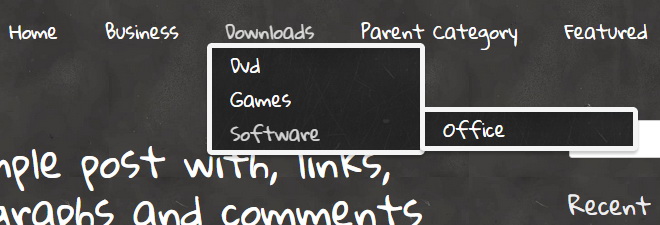
Find this in “Edit HTML”:
<div class='menunbt'>
<ul>
<li><a expr:href='data:blog.homepageUrl'>Home</a></li>
<li><a href='#'>Business</a>
<ul class='children'>
<li><a href='#'>Internet</a></li>
<li><a href='#'>Market</a></li>
<li><a href='#'>Stock</a></li>
</ul>
</li>

<li><a href='#'>Downloads</a>
<ul class='children'>
<li><a href='#'>Dvd</a></li>
<li><a href='#'>Games</a></li>
<li><a href='#'>Software</a>
<ul class='children'>
<li><a href='#'>Office</a>
</li>
</ul>
</li>
</ul>
</li>

<li><a href='#'>Parent Category</a>
<ul class='children'>
<li><a href='#'>Child Category 1</a>
<ul class='children'>
<li><a href='#'>Sub Child Category 1</a></li>
<li><a href='#'>Sub Child Category 2</a></li>
<li><a href='#'>Sub Child Category 3</a></li>
</ul>
</li>
<li><a href='#'>Child Category 2</a></li>
<li><a href='#'>Child Category 3</a></li>
<li><a href='#'>Child Category 4</a></li>
</ul>
</li>

<li><a href='#'>Featured</a></li>
</ul>
</div>
Replace “#” marks with real URLs and change anchor texts as you like.
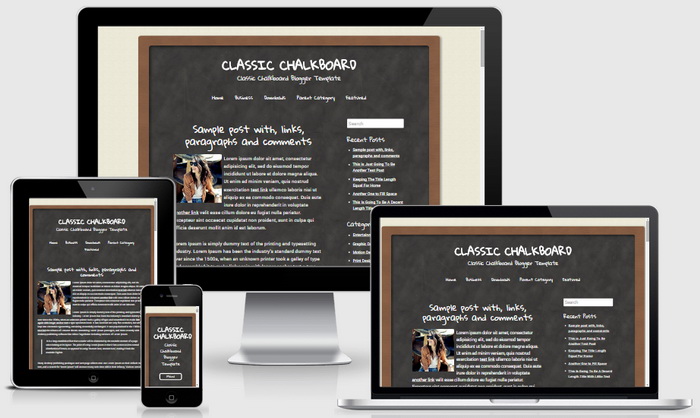
Classic Chalkboard blogger template is displaying well in desktop computers, tablets and mobile phones. This is the responsive view of Classic Chalkboard theme:




I’m trying to use this template and change the nav bar for what I want but I’m having a hard time because I don’t know HTML too well. I don’t need some of the sub headers in the nav bar but when I try to delete it, it messes up the HTML. I don’t want any of the sub headers at all. How do I get rid of them for the template to properly work?
Replace current menu code this this:
<div class=’menu’>
<ul>
<li><a expr:href=’data:blog.homepageUrl’>Home</a></li>
<li><a href=’#’>Link 1</a></li>
<li><a href=’#’>Link 2</a></li>
<li><a href=’#’>Link 3</a></li>
<li><a href=’#’>Link 4</a></li>
<li><a href=’#’>Link 5</a></li>
</ul>
</div>
cool template..
Hi
I have followed your steps to change menu link and to rename my menu anchors, but it does not work. Do you have a video that explains the steps to either delete the MEnu or change it ..
Please
Thanks
This will help you:
http://www.premiumbloggertemplates.com/how-to-configure-navigation-menu/
i like it
thanks
Thanks a lot, all the people of the Association like the new template.
THANKS
This one is so cool
Hi. I would like to remove the navigation bar completely. How can I do this? Thank you.
I love this template! But is there a way to change the fonts? I'm guessing you have to do it through html, which I am not very familiar with.
like this.