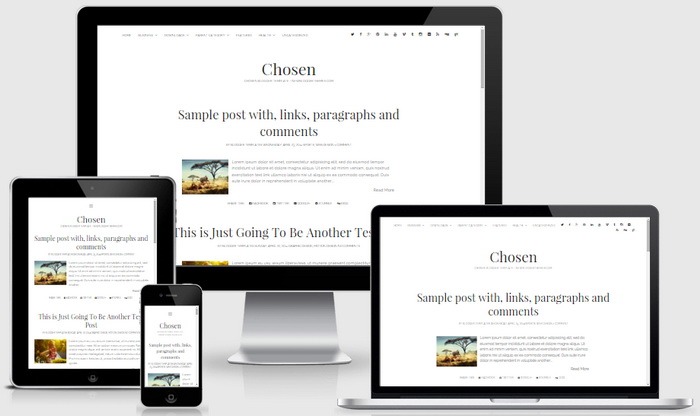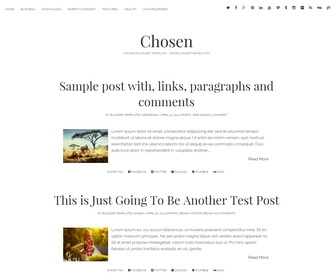
Chosen is a fully responsive, bold and minimalist Blogger theme for publishers who want to get their visitors’ attention and keep it. Chosen Blogger Template presents your best content in a clean, uncluttered fashion on phones, tablets, and desktop computers. Chosen Blogger template has Google fonts, related posts with thumbnails, top social icons, post share options, top navigation menu, auto post summaries and more.
How To Add Links to Top Navigation Menu
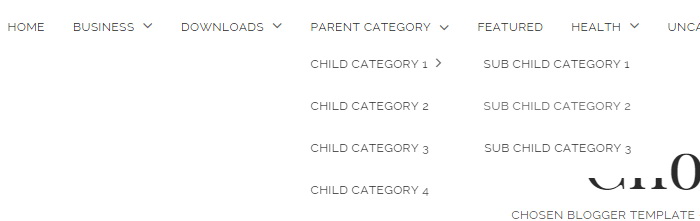
Find this in “Edit HTML”:
<ul class='menu-primary-items' id='menu-primary-items'>

<li><a expr:href='data:blog.homepageUrl'>Home</a></li>

<li class='menu-item-has-children'><a href='#'>Business</a>
<button aria-expanded='false' class='toggle-dropdown' name='toggle-dropdown'><span class='screen-reader-text'>open menu</span></button>
<ul class='sub-menu'>
<li><a href='#'>Internet</a></li>
<li><a href='#'>Market</a></li>
<li><a href='#'>Stock</a></li>
</ul>
</li>

...

<li><a href='#'>Uncategorized</a></li>

</ul>
Replace “#” marks with real URLs and change anchor texts as you like.
How To Configure Social Buttons

Find this in “Edit HTML”:
<ul class='social-media-iconsnbt'>
<li><a class='twitter' href='#' rel='nofollow' target='_blank'><i class='fa fa-twitter' title='twitter icon'/></a></li>
<li><a class='facebook' href='#' rel='nofollow' target='_blank'><i class='fa fa-facebook' title='facebook icon'/></a></li>
<li><a class='google-plus' href='#' rel='nofollow' target='_blank'><i class='fa fa-google-plus' title='google-plus icon'/></a></li>
<li><a class='pinterest' href='#' rel='nofollow' target='_blank'><i class='fa fa-pinterest' title='pinterest icon'/></a></li>
...
</ul>
Add your own social links replacing “#” marks.
Chosen Blogger Template Responsive View: