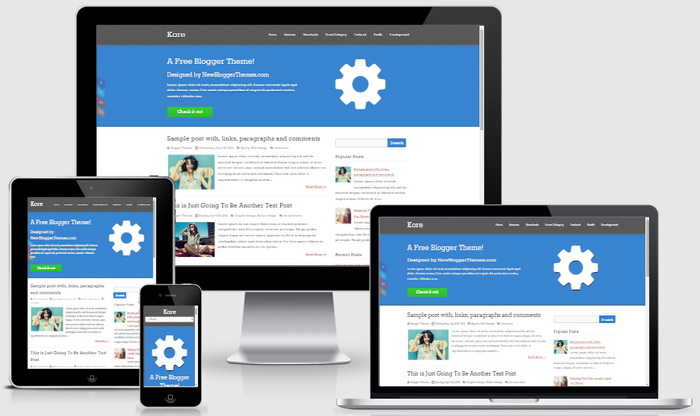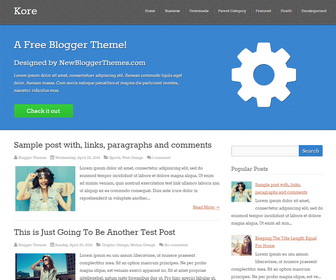
Kore is a simple and elegant looking blogger theme that comes with 100% responsive layout. It automatically adjusts according to screen size so you don’t need to install a separate theme for mobile devices. Kore Blogger template has a right sidebar, Google web fonts, icon fonts, related posts with thumbnails, social buttons, share buttons, top navigation menu, auto post summaries and more.
How To Add Links to Top Navigation Menu
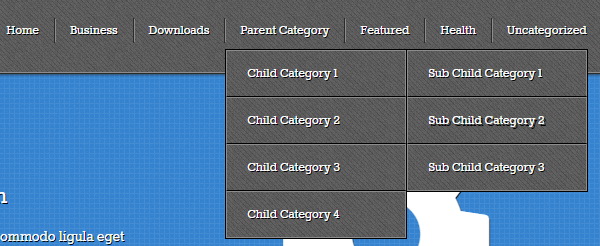
Find this in “Edit HTML”:
<ul class='menunbt'>

<li><a expr:href='data:blog.homepageUrl'>Home</a></li>

<li><a href='#'>Business</a>
<ul class='sub-menu'>
<li><a href='#'>Internet</a></li>
<li><a href='#'>Market</a></li>
<li><a href='#'>Stock</a></li>
</ul>
</li>

...

<li><a href='#'>Uncategorized</a></li>

</ul>
Replace “#” marks with real URLs and change anchor texts as you like.
How To Configure Featured Content

Find this and change the content as you like:
<div class='lastnbt fivecol introductory-medianbt'>
	<i class='fa fa-cog' style='font-size: 240px; margin:0 auto;display:table;'/>
</div>

<div class='firstnbt sevencol'>
    <h1>A Free Blogger Theme!</h1>
	<h2>Designed by NewBloggerThemes.com</h2>
	Lorem ipsum dolor sit amet, consectetuer adipiscing elit. Aenean commodo ligula eget dolor. Aenean massa. Cum sociis natoque penatibus et magnis dis parturient montes, nascetur ridiculus mus.
	<div class='button-containernbt'>
	<a class='buttonnbt green-button' href='#'>Check it out</a>
    </div>
</div>
<div class='clearfix'/>
How To Configure Social Buttons
Find this in “Edit HTML”:
<div class='socialnbt'> <ul> <li class='soc_fb'><a href='#' rel='nofollow' target='_blank' title='Facebook'>Facebook</a></li> <li class='soc_tw'><a href='#' rel='nofollow' target='_blank' title='Twitter'>Twitter</a></li> <li class='soc_plus'><a href='#' rel='nofollow' target='_blank' title='Google Plus'>Google Plus</a></li> <li class='soc_rss'><a expr:href='data:blog.homepageUrl + "feeds/posts/default"' rel='nofollow' target='_blank' title='RSS'>RSS</a></li> </ul> </div>
Add your own social links replacing “#” marks.
Kore Blogger Template Responsive View