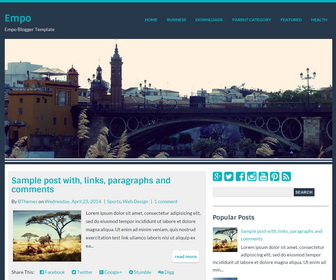
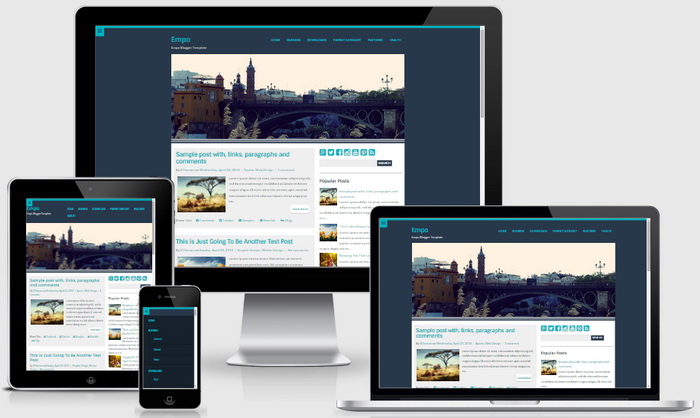
Empo is an easy to use, minimal, fully responsive, 2 columns blogger theme. Empo blogger template is based on 960 grid and elegantly scales down to downsized browser windows, tablets, mobile phones (in landscape and portrait). It has a right sidebar, 2 columns footer widgets area, top widgets panel, Google web fonts, icon fonts, related posts with thumbnails, social buttons, post sharing buttons, top navigation menu, post summaries on homepage and more.
How To Change Header Image
Find this:
http://3.bp.blogspot.com/-FzdNUdEOOow/Va3LhkY9x4I/AAAAAAAAOKA/cn2DOMl45JA/s1600/urban.jpg
Replace it with your header image URL. Header image should be 960px width and 350px height.
How To Add Links to Top Navigation Menu
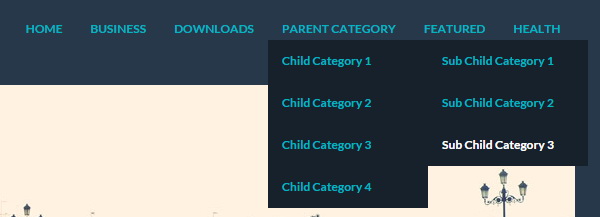
Find this in “Edit HTML”:
<nav class='clearfix' id='mainnavnbt'>
<div class='menu-nbt-menu-container'>
<ul class='menunbt'>

<li><a expr:href='data:blog.homepageUrl'>Home</a></li>

<li><a href='#'>Business</a>
<ul class='sub-menu'>
<li><a href='#'>Internet</a></li>
<li><a href='#'>Market</a></li>
<li><a href='#'>Stock</a></li>
</ul>
</li>

...

</ul>
</div>
</nav><!-- end mainnav -->
Replace “#” marks with real URLs and change anchor texts as you like.
How To Configure Social Buttons

Find this in “Edit HTML”:
<div class='social-buttonsnbt'> <a href='https://plus.google.com/' rel='nofollow' target='_blank' title='Google Plus'><i class='fa fa-google-plus-square'/></a> <a href='https://twitter.com/' rel='nofollow' target='_blank' title='Twitter'><i class='fa fa-twitter-square'/></a> <a href='https://www.facebook.com/' rel='nofollow' target='_blank' title='Facebook'><i class='fa fa-facebook-square'/></a> <a href='http://instagram.com/' rel='nofollow' target='_blank' title='Instagram'><i class='fa fa-instagram'/></a> <a href='https://www.youtube.com/' rel='nofollow' target='_blank' title='Youtube'><i class='fa fa-youtube-square'/></a> <a href='http://www.pinterest.com/' rel='nofollow' target='_blank' title='Pinterest'><i class='fa fa-pinterest-square'/></a> <a expr:href='data:blog.homepageUrl + "feeds/posts/default"' rel='nofollow' target='_blank' title='RSS'><i class='fa fa-rss-square'/></a> </div>
Add your own social links replacing default social profile URLs.
Empo Blogger Template Responsive View




The italic font is not supported by this template? :/
it supports.