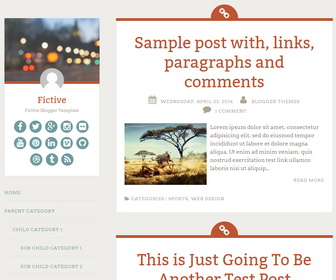
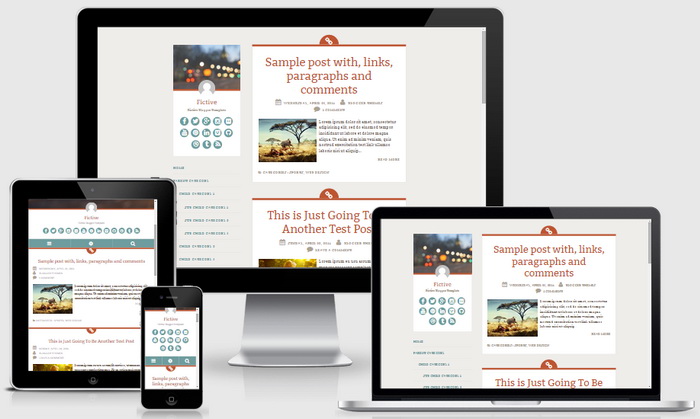
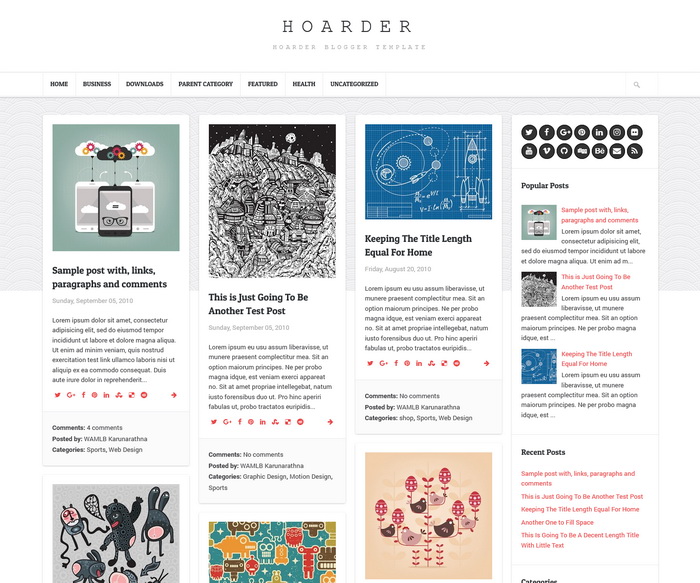
Fictive Blogger template is great responsive blogger theme for your personal blog. Make Fictive theme personal with a custom header image, a Gravatar, and links to your favorite social networks. Fictive Blogger template has a navigation menu, social buttons, left sidebar, custom icons and more.
How To Change Header Image
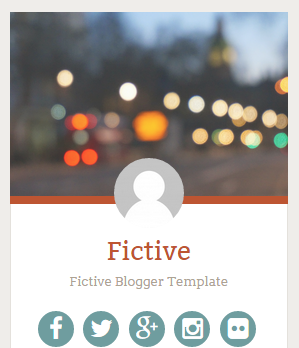
Find this in “Edit HTML”:
<!-- header image -->
<a expr:href='data:blog.homepageUrl'>
	<img alt='' class='header-imagenbt' height='1000' src='http://2.bp.blogspot.com/-PB65RF6oEH0/VD8tJvJCaJI/AAAAAAAAL9M/q6Y3ZsP7Zgg/s1600/header.jpg' width='1112'/>
</a>
Replace image URL with your new header image URL.
How To Change Avatar

Find this in “Edit HTML”:
<!-- header avatar -->
<div class='header-avatarnbt'>
<a expr:href='data:blog.homepageUrl'>
	<img height='70' src='http://4.bp.blogspot.com/-sk6Pqb90eN8/VD8uMgIboFI/AAAAAAAAL9k/BgoLjRz_5hc/s1600/header-avatar.png' width='70'/>
</a>
</div>
Replace that image URL with your avatar image URL.
How To Configure Social Buttons
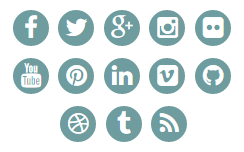
Find this in “Edit HTML”:
<ul class='menunbt' id='menu-social-menunbt'> <li><a href='http://www.facebook.com/' rel='nofollow' target='_blank'><span class='screen-reader-textnbt'>Facebook</span></a></li> <li><a href='http://twitter.com/' rel='nofollow' target='_blank'><span class='screen-reader-textnbt'>Twitter</span></a></li> <li><a href='http://plus.google.com/' rel='nofollow' target='_blank'><span class='screen-reader-textnbt'>GooglePlus</span></a></li> <li><a href='http://instagram.com/' rel='nofollow' target='_blank'><span class='screen-reader-textnbt'>Instagram</span></a></li> <li><a href='http://flickr.com/' rel='nofollow' target='_blank'><span class='screen-reader-textnbt'>Flickr</span></a></li> <li><a href='http://youtube.com/' rel='nofollow' target='_blank'><span class='screen-reader-textnbt'>Youtube</span></a></li> <li><a href='http://pinterest.com/' rel='nofollow' target='_blank'><span class='screen-reader-textnbt'>Pinterest</span></a></li> <li><a href='http://www.linkedin.com/' rel='nofollow' target='_blank'><span class='screen-reader-textnbt'>Linkedin</span></a></li> <li><a href='https://vimeo.com/' rel='nofollow' target='_blank'><span class='screen-reader-textnbt'>Vimeo</span></a></li> <li><a href='https://github.com/' rel='nofollow' target='_blank'><span class='screen-reader-textnbt'>Github</span></a></li> <li><a href='https://dribbble.com/' rel='nofollow' target='_blank'><span class='screen-reader-textnbt'>Dribbble</span></a></li> <li><a href='http://tumblr.com/' rel='nofollow' target='_blank'><span class='screen-reader-textnbt'>Tumblr</span></a></li> <li><a expr:href='data:blog.homepageUrl + "feeds/posts/default"' rel='nofollow' target='_blank'><span class='screen-reader-textnbt'>Feed</span></a></li> </ul>
Add your social profile URLs replacing social media networks homepages URLs.
How To Add Links to Navigation Menu
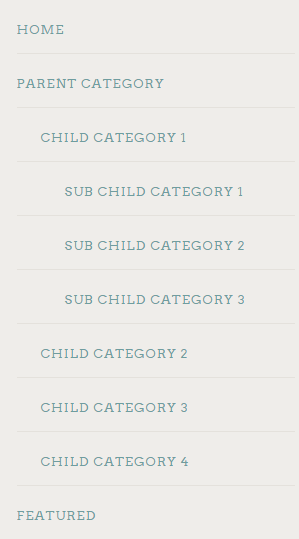
Find this in “Edit HTML”:
<div class='menu-nbt-menu-container'>
<ul class='menunbt'>

<li><a expr:href='data:blog.homepageUrl'>Home</a></li>

<li><a href='#'>Parent Category</a>
<ul class='sub-menu'>
<li><a href='#'>Child Category 1</a>
<ul class='sub-menu'>
<li><a href='#'>Sub Child Category 1</a></li>
<li><a href='#'>Sub Child Category 2</a></li>
<li><a href='#'>Sub Child Category 3</a></li>
</ul>
</li>
<li><a href='#'>Child Category 2</a></li>
<li><a href='#'>Child Category 3</a></li>
<li><a href='#'>Child Category 4</a></li>
</ul>
</li>

<li><a href='#'>Featured</a></li>

<li><a href='#'>Uncategorized</a></li>

</ul>
</div>
Replace “#” marks with real URLs and change anchor texts as you like.
Fictive Blogger Template Responsive View:
Nice template