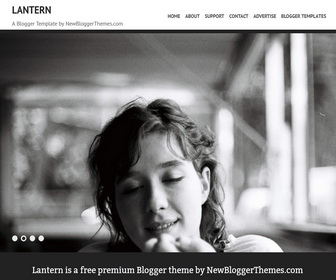
How To Configure Featured Content Slider
Find this in “Edit HTML”:
<ul class='rslides' id='slider'>

<li>
<a href='ENTER-SLIDE-1-LINK-HERE'><img class='attachment-slide-pic' height='427' src='http://3.bp.blogspot.com/-BmJm4lE9HJM/UHP5m1Uh0EI/AAAAAAAAHbI/OcIh12pWXUI/s1600/1.jpg' width='640'/>	</a>
</li>

<li>
<a href='ENTER-SLIDE-2-LINK-HERE'><img class='attachment-slide-pic' height='429' src='http://3.bp.blogspot.com/-50FzP7DacIg/UHP5plmEjTI/AAAAAAAAHbQ/o3bfrKZeY20/s1600/2.jpg' width='640'/>	</a>
</li>

<li>
<a href='ENTER-SLIDE-3-LINK-HERE'><img class='attachment-slide-pic' height='427' src='http://1.bp.blogspot.com/-ewHZSN4fuss/UHP5rz9gtwI/AAAAAAAAHbY/SOsjADtWsP0/s1600/3.jpg' width='640'/>	</a>
</li>

<li>
<a href='ENTER-SLIDE-4-LINK-HERE'><img class='attachment-slide-pic' height='429' src='http://1.bp.blogspot.com/-U_oPt9V9sm4/UHP5vWs5dkI/AAAAAAAAHbg/rllv95qT64Y/s1600/4.jpg' width='640'/>	</a>
</li>

</ul>
For each slide,
Replace “ENTER-SLIDE-X-LINK-HERE” with real slide link.
Replace slide image urls.
How To Add Links Top Navigation Menu
Go to “Layout”. Click on “Edit” link of “Edit This Menu” widget.




Hi! I really like this design but i encountered two problems –
1) The preview image got squished unproportionately and it doesn’t look nice.
2) I actually prefer my posts to be scrolling (all displayed on one page), and not previews – is there a way to change it, or if you could provide alternate layouts of the post for your templates?
Hi Monica,
I can solve both of your problems. Contact me:
https://newbloggerthemes.com/contact/
Thanks
I liked it too and want to know how to make the opening page of hiding the sidebar, show only left column open when reading the inputs. Thank you. good job.
Claudio Sampaio
hi claudio, you can contact me for that type of customization.