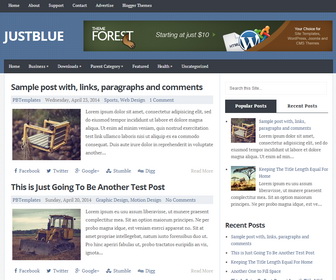
JustBlue is a responsive Blogger template with 2 columns layout. JustBlue has auto post summaries, 728×90 Header Banner, 2 navigation menus, share buttons, right sidebar and more.
How To Add Links to Top Navigation Menu
Go to “Layout”. Click on “Edit” link of “Edit This Menu” widget.
Now add your links to that link list widget.
How To Add Links to Drop Down Menu
Find this in “Edit HTML”:
<nav id='navigationnbt'>
<ul class='menunbt' id='menu-main-navigation'>

<li><a expr:href='data:blog.homepageUrl'>Home</a></li>

<li><a href='#'>Business</a>
<ul class='sub-menu'>
<li><a href='#'>Internet</a></li>
<li><a href='#'>Market</a></li>
<li><a href='#'>Stock</a></li>
</ul>
</li>

...

</ul>
</nav>
Replace “#” marks with real URLs and change anchor texts as you like.
How To Change Tab Names
Find this in “Edit HTML”:
<ul class='tabsnbt'>
	<li><a href='#popular-postsnbt'>Popular Posts</a></li>
	<li class='tab-recent-postsnbt'><a href='#recent-postsnbt'>Categories</a></li>
</ul> <!--end .tabs-->
Change “Popular Posts” and “Categories” words as you like.
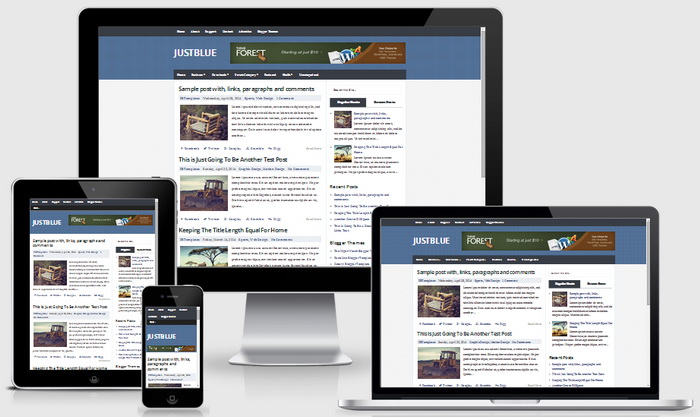
JustBlue Blogger Template Responsive View:




how can i increase the number of post from that current 4 to any number i want ….i have tried using normal blogger settings for number of post per page but didnt work out…………..for JUST BLUE
1. Use Blogger "After the Jump" feature (read more) in your longer posts.
https://support.google.com/blogger/answer/154172?hl=en
2. Reduce image sizes/ optimize images.
You can use a software like Photoshop, GIMP or free online image optimization service.
3. Remove unnecessary widgets.