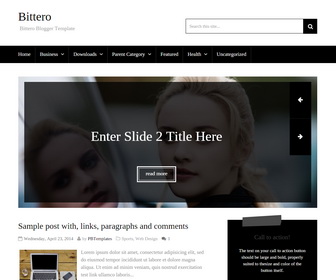
Bittero Blogger Template is a responsive, SEO friendly, simple and elegant blogger template for blogger blogs. Bittero blogger theme has featured content slider, responsive navigation menu, social profile buttons, post share buttons, Google fonts, related posts, class to action area and more.
How To Add Links to Top Navigation Menu
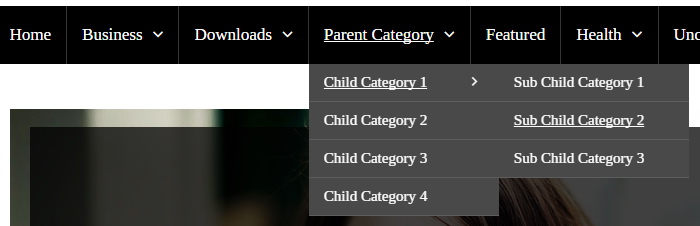
Find this in “Edit HTML”:
<ul class='menu-itemsnbt' id='menu-primary-itemsnbt'>

<li><a expr:href='data:blog.homepageUrl'>Home</a></li>

<li class='menu-item-has-children'><a href='#'>Business</a>
<ul class='sub-menu'>
<li><a href='#'>Internet</a></li>
<li><a href='#'>Market</a></li>
<li><a href='#'>Stock</a></li>
</ul>
</li>

...

<li><a href='#'>Uncategorized</a></li>

</ul>
Replace “#” marks with real URLs and change anchor texts as you like.
How To Configure Social Buttons
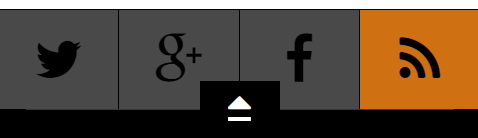
Find this in “Edit HTML”:
<ul class='soc-col-4' id='social-profilesnbt'> <li><a class='fa fa-twitter' href='https://twitter.com/newbthemes' rel='nofollow' target='_blank' title='Follow us on Twitter!'/></li> <li><a class='fa fa-google-plus' href='https://plus.google.com/114594158726319551901/' rel='nofollow' target='_blank' title='Google Plus'/></li> <li><a class='fa fa-facebook' href='https://www.facebook.com/newbthemes' rel='nofollow' target='_blank' title='Our Facebook page'/></li> <li><a class='fa fa-rss' expr:href='data:blog.homepageUrl + "feeds/posts/default"' rel='nofollow' target='_blank' title='Subscribe to our feed'/></li> </ul>
Add your own social links replacing my social profile URLs.
How To Configure Featured Content Slider:
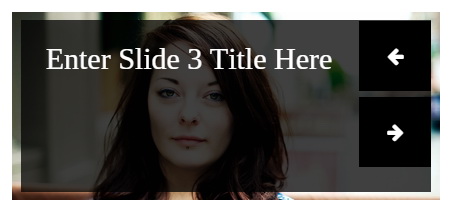
Find this in “Edit HTML”:
<div id='slidernbt'>
<ul class='bxslider'>

<!-- slide 1 code start -->
<li>
<article>
	<a href='ENTER-SLIDE-1-LINK-HERE'><img src='http://1.bp.blogspot.com/-babAJ3MO4YE/VHZ4BEpc8HI/AAAAAAAANco/A18owLtsgRY/s1600/slide-1.jpg'/></a>
	<div class='bx-caption'>
	<div class='cap-innbt'>
		<h2 class='slider-titlenbt'><a href='ENTER-SLIDE-1-LINK-HERE'>Enter Slide 1 Title Here</a></h2>
		<div class='more-wrapnbt'>
			<a class='slider-morenbt' href='ENTER-SLIDE-1-LINK-HERE'><span>read more</span></a>
		</div>
	</div>
	</div>
</article>
</li>
<!-- slide 1 code end -->

...

</ul>
</div>
There are 3 slides in the slider. You can add or remove more slides if you want.
Now replace,
“ENTER-SLIDE-X-LINK-HERE”s with your real slide link,
“Enter Slide X Title Here” with your real slide title,
Slide image URL,
for each slide. (X = 1 or X = 2 or X = 3)
How To Configure “Call to action” Area
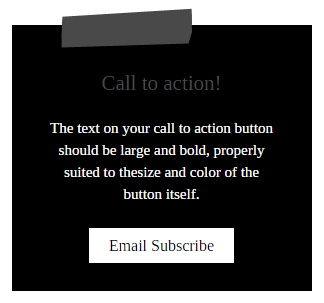
Find this in “Edit HTML”:
<div class='widget widget_call_to_action'>
<span class='swt-call-top'/>
<h3 class='call-titlenbt'>Call to action!</h3>
<p class='call-textnbt'>The text on your call to action button should be large and bold, properly suited to thesize and color of the button itself.</p>
<a class='call-buttonnbt' href='#' target='_blank'>Email Subscribe</a>
</div>
Replace sample text content with your own words and “#” mark with your site email subscribe URL.
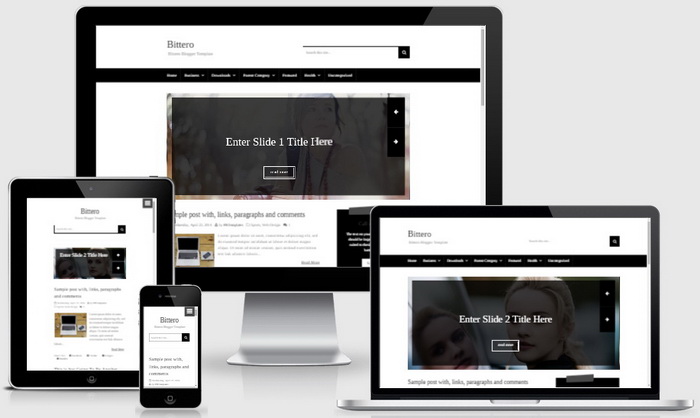
Bittero Blogger Template Responsive View




I’ve been using your Bittero template for my blog, and all I can say is… I LOVE IT! ^_^
.site-titlenbt {
font-size: 30px;
line-height: 1;
margin: 0;
width: 300px;
height: 150px;
position: absolute;
left: 450px;
bottom: 230px;
i put the left and bottom directions, but the template dont accept my commanders :X
use "margin-left" and "margin-bottom".
i am using of this templates free version.thank you