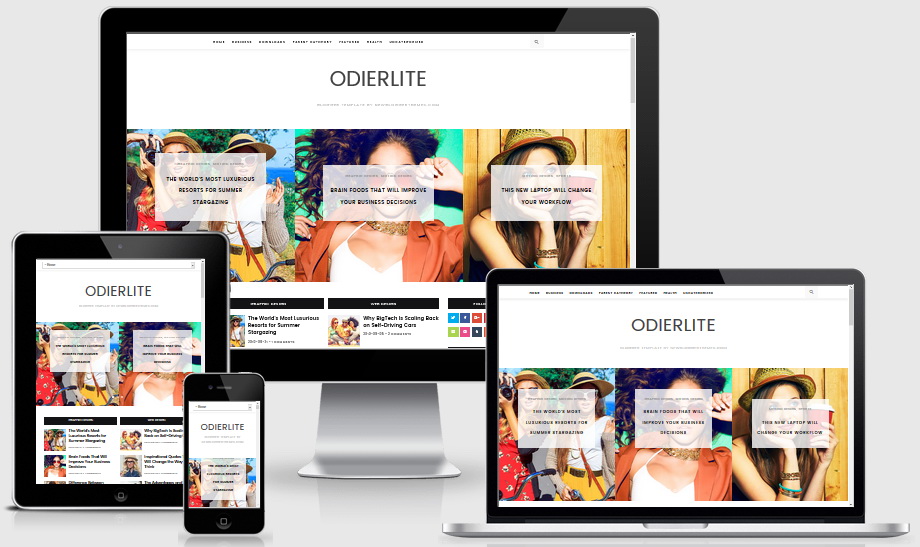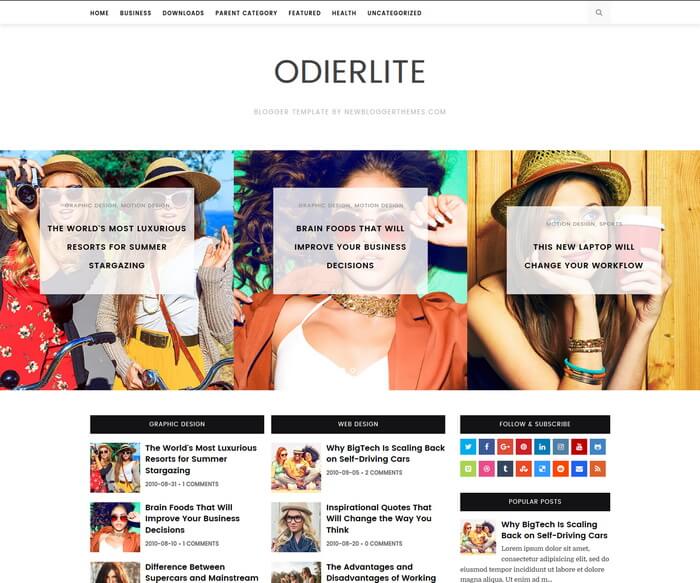
OdierLite is clean and elegant, fully responsive, Template Designer compatible, SEO ready, news magazine blogger theme with easy to use color and font options. OdierLite Blogger Template has featured posts slider, recent and featured posts widgets with thumbnails, social widget, custom post summaries, Facebook and Twitter meta tags, structured data, related posts, post share buttons, fixed navigation menu, sticky right sidebar and more.
How To Configure Top Navigation Menu
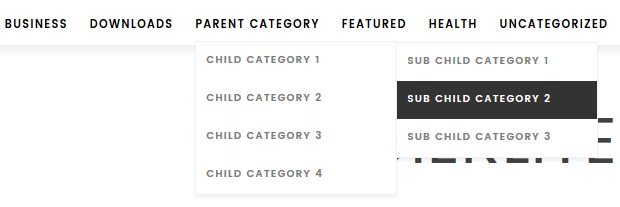
Find this in “Edit HTML”:
<ul class='odierlite-menu' id='odierlite-primary-menu'>

<li><a expr:href='data:blog.homepageUrl'>Home</a></li>

<li><a href='#'>Business</a>
<ul class='sub-menu'>
<li><a href='#'>Internet</a></li>
<li><a href='#'>Market</a></li>
<li><a href='#'>Stock</a></li>
</ul>
</li>

...

</ul>
Replace “#” marks with real URLs and change anchor texts as you like.
How To Configure Featured Posts Slider Widget
This widget automatically displays posts from a given label name. Go to “Layout” page.
Click on the edit link of “Featured Posts Slider Widget” widget and add this code:
<script src='https://YOURBLOGNAME.blogspot.com/feeds/posts/default/-/LABELNAME?alt=json-in-script&callback=odierlitefeaturedposts&max-results=6'/></script>
Replace “https://YOURBLOGNAME.blogspot.com” with your real blog address.
Replace “LABELNAME” with the real label name you want to retrieve posts.
Replace “6” with the number of posts you need to display.
Example:
<script src='https://odierlite-nbt.blogspot.com/feeds/posts/default/-/Motion Design?alt=json-in-script&callback=odierlitefeaturedposts&max-results=6'/></script>
Save the widget.
How To Add Sidebar Social Widget
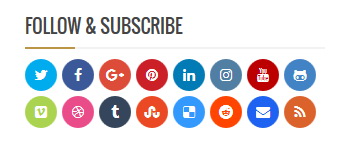
Go to “Layout” page and add this code into a “HTML/JavaScript” gadget in the sidebar.
<div class='odierlite-widget-social'>
<ul>
<li><a href='https://twitter.com/' rel='nofollow' target='_blank' title='Twitter'><span class='screen-reader-text'>Twitter</span></a></li>
<li><a href='https://www.facebook.com/' rel='nofollow' target='_blank' title='Facebook'><span class='screen-reader-text'>Facebook</span></a></li>
<li><a href='https://plus.google.com/' rel='nofollow' target='_blank' title='GooglePlus'><span class='screen-reader-text'>GooglePlus</span></a></li>
<li><a href='https://www.pinterest.com/' rel='nofollow' target='_blank' title='Pinterest'><span class='screen-reader-text'>Pinterest</span></a></li>
<li><a href='https://www.linkedin.com/' rel='nofollow' target='_blank' title='Linkedin'><span class='screen-reader-text'>Linkedin</span></a></li>
<li><a href='https://www.instagram.com/' rel='nofollow' target='_blank' title='Instagram'><span class='screen-reader-text'>Instagram</span></a></li>
<li><a href='https://www.youtube.com/' rel='nofollow' target='_blank' title='Youtube'><span class='screen-reader-text'>Youtube</span></a></li>
<li><a href='https://github.com/' rel='nofollow' target='_blank' title='Github'><span class='screen-reader-text'>Github</span></a></li>
<li><a href='https://vimeo.com/' rel='nofollow' target='_blank' title='Vimeo'><span class='screen-reader-text'>Vimeo</span></a></li>
<li><a href='https://dribbble.com/' rel='nofollow' target='_blank' title='Dribbble'><span class='screen-reader-text'>Dribbble</span></a></li>
<li><a href='https://www.tumblr.com/' rel='nofollow' target='_blank' title='Tumblr'><span class='screen-reader-text'>Tumblr</span></a></li>
<li><a href='https://www.stumbleupon.com/' rel='nofollow' target='_blank' title='Stumbleupon'><span class='screen-reader-text'>Stumbleupon</span></a></li>
<li><a href='https://delicious.com/' rel='nofollow' target='_blank' title='Delicious'><span class='screen-reader-text'>Delicious</span></a></li>
<li><a href='https://www.reddit.com/' rel='nofollow' target='_blank' title='Reddit'><span class='screen-reader-text'>Reddit</span></a></li>
<li><a href='mailto:123@abc.com' rel='nofollow' target='_blank' title='Contact'><span class='screen-reader-text'>Contact</span></a></li>
<li><a href='http://YOURBLOGNAME.blogspot.com/feeds/posts/default' target='_blank' title='RSS'><span class='screen-reader-text'>RSS</span></a></li>
</ul>
</div>
Add your own social links replacing default social profile URLs.
How To Add a Featured Posts Widget
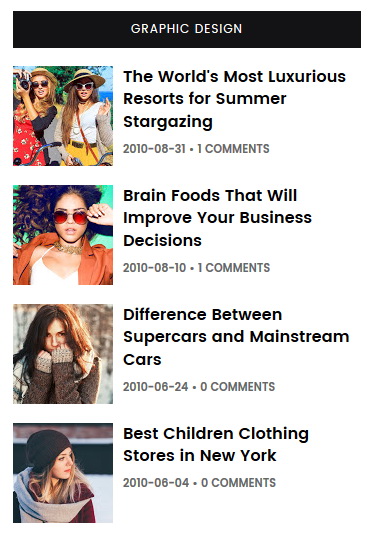
This featured posts widget automatically displays posts from a given label name.
You need to add this code into a “HTML/JavaScript” gadget:
<script src='https://YOURBLOGNAME.blogspot.com/feeds/posts/default/-/LABELNAME?alt=json-in-script&callback=odierlitelabelposts&max-results=4'/></script>
Replace “https://YOURBLOGNAME.blogspot.com” with your real blog address.
Replace “LABELNAME” with the real label name you want to retrieve posts.
Replace “4” with the number of posts you need to display.
Example:
<script src='https://odierlite-nbt.blogspot.com/feeds/posts/default/-/Graphic Design?alt=json-in-script&callback=odierlitelabelposts&max-results=4'/></script>
You can give a title to the widget and save.
Note: You can add unlimited number of featured posts widgets like this.
How To Add a Recent Posts Widget
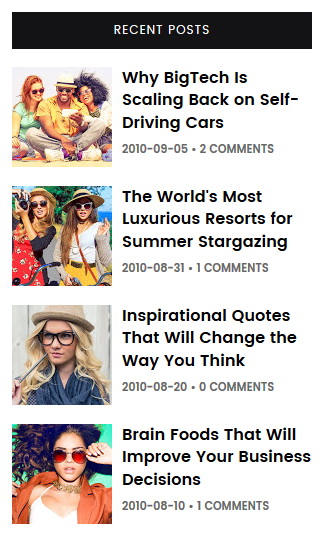
You need to add this code into a “HTML/JavaScript” gadget:
<script src='https://YOURBLOGNAME.blogspot.com/feeds/posts/default?alt=json-in-script&callback=odierlitelabelposts&max-results=4'/></script>
Replace “https://YOURBLOGNAME.blogspot.com” with your real blog address.
Replace “4” with the number of posts you need to display.
Example:
<script src='https://odierlite-nbt.blogspot.com/feeds/posts/default?alt=json-in-script&callback=odierlitelabelposts&max-results=4'/></script>
You can give a title to the widget and save.
OdierLite Blogger Template Responsive View