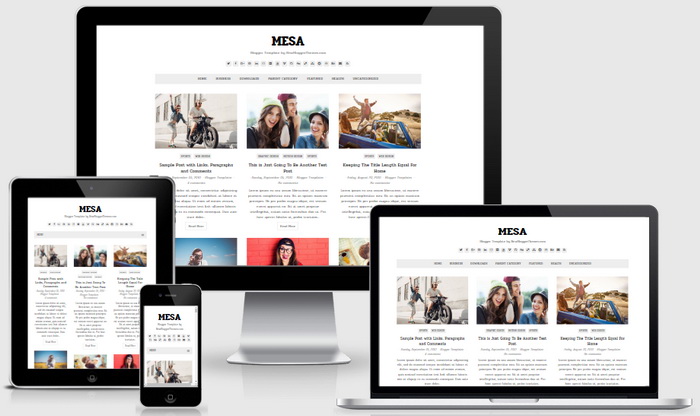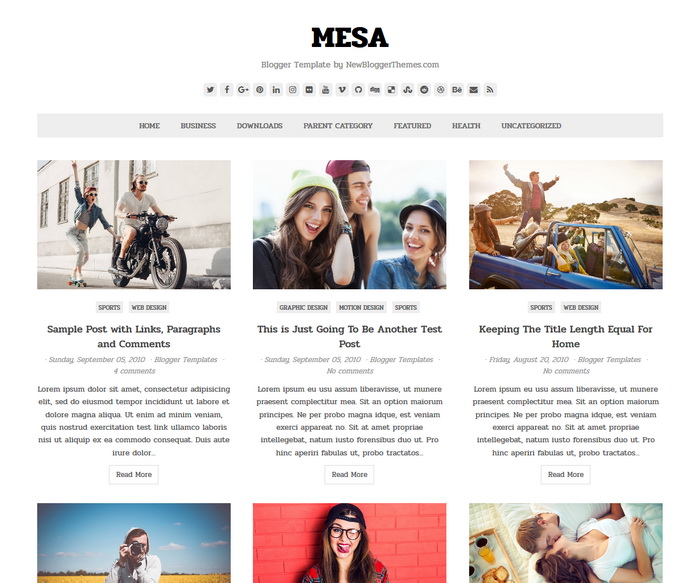
Mesa is a clean and minimal, search engine friendly, template designer compatible, 100% responsive gallery Blogger theme that could be used for any blog. Mesa Blogger Template has a right sidebar, footer widgets section, auto post summaries, unlimited colors, font options, FontAwesome icons, background image support, related posts with thumbnails, social and share buttons, top navigation menu, scroll to top button and more.
It is 100% Mobile Friendly: Check Mobile Friendly
It has search engine friendly data: Check SEO Friendly
How To Configure Social Buttons

Find this in “Edit HTML”:
<div class='wpex-socialbar wpex-clr'>
<a href='https://twitter.com/' rel='nofollow' target='_blank' title='Twitter'><i class='fa fa-twitter'/></a>
<a href='https://www.facebook.com/' rel='nofollow' target='_blank' title='Facebook'><i class='fa fa-facebook'/></a>
<a href='https://plus.google.com/' rel='nofollow' target='_blank' title='GooglePlus'><i class='fa fa-google-plus'/></a>
...
</div><!-- .wpex-socialbar -->
Add your own social links replacing default social profile URLs.
How To Configure Top Navigation Menu
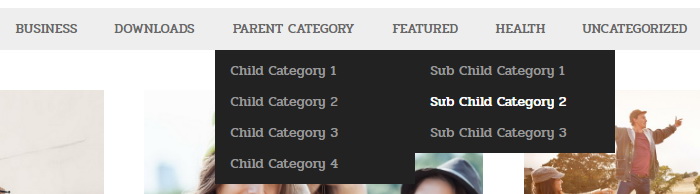
Find this in “Edit HTML”:
<ul class='wpex-dropdown-menu wpex-clr' id='wpex-menu-main'>

<li><a expr:href='data:blog.homepageUrl'>Home</a></li>

<li><a href='#'>Business</a>
<ul class='sub-menu'>
<li><a href='#'>Internet</a></li>
<li><a href='#'>Market</a></li>
<li><a href='#'>Stock</a></li>
</ul>
</li>

...

</ul>
Replace “#” marks with real URLs and change anchor texts as you like.
Mesa Blogger Template Responsive View