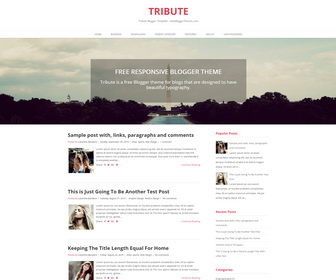
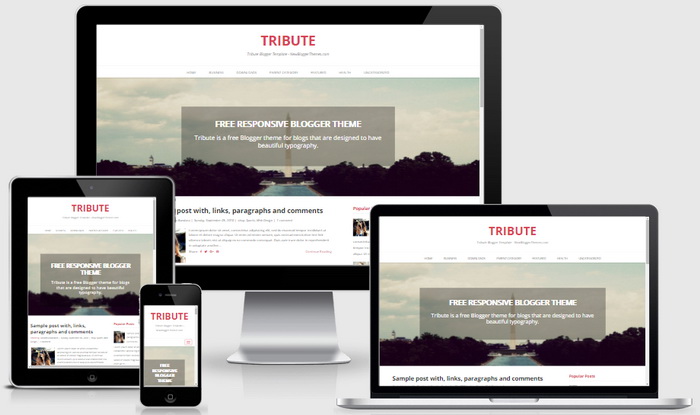
Tribute is minimal, free, 2 columns Blogger theme for blogs that are designed to have beautiful typography. Tribute Blogger Template is developed using 100% responsive design, ensuring that your blog will be no less beautiful when viewed on a smartphone or tablet. It has a right sidebar, featured header image, primary navigation menu, auto post summaries, social icons and share buttons, Google web fonts, related posts with thumbnails and more.
How To Configure Top Navigation Menu
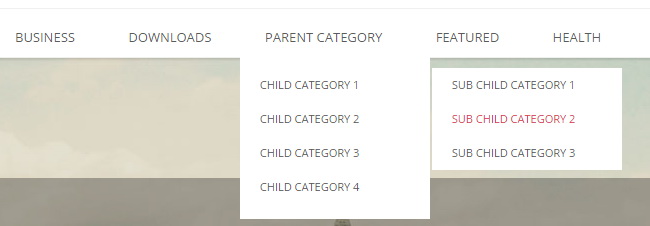
Find this in “Edit HTML”:
<div class='menu-main-menu-container'>
<ul class='nav navbar-nav'>

<li><a expr:href='data:blog.homepageUrl'>Home</a></li>

<li><a href='#'>Business</a>
<ul class='sub-menu'>
<li><a href='#'>Internet</a></li>
<li><a href='#'>Market</a></li>
<li><a href='#'>Stock</a></li>
</ul>
</li>

...

</ul>
</div>
Replace “#” marks with real URLs and change anchor texts as you like.
How To Configure Header Image
Find this code:
<div id='bannernbt'>
<div class='banner-cnt'>
<h1 class='banner-title'>Free Responsive Blogger Theme</h1>
<h3 class='banner-description'>Tribute is a free Blogger theme for blogs that are designed to have beautiful typography.</h3>
</div>
</div>
Change header image title and description as you like.
Now find this image address:
https://2.bp.blogspot.com/-LCXJJp5yVAQ/VxRJZo24neI/AAAAAAAARqs/pUdN05ZwgNkxrxFpH35MNR-Z5VCZNjsvACLcB/s0/banner.jpg
Change it with own header image URL. Default size is 1920px × 490px.
How To Configure Social Buttons
Find this in “Edit HTML”:
<div class='social-buttonsnbt'>
	<a href='https://plus.google.com/' rel='nofollow' target='_blank' title='Google Plus'><i class='fa fa-google-plus'/></a>
	<a href='https://twitter.com/' rel='nofollow' target='_blank' title='Twitter'><i class='fa fa-twitter'/></a>
	<a href='https://www.facebook.com/' rel='nofollow' target='_blank' title='Facebook'><i class='fa fa-facebook'/></a>
	...
</div>
Add your own social links replacing default social profile URLs.
Tribute Blogger Template Responsive View




Hi guys !
I installed your theme, but in my version the date of my posts is not available.
Can you tell me please what to do to show the date on my posts ?
Thanks a lot and congrats for your designs !
you can change date format throght blogger settings.
Really great template. Planning to change to my blog template.