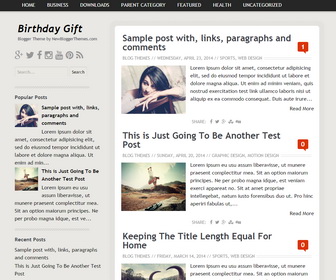
Birthday gift is a 100% responsive, clean and modern, minimal Blogger theme. Birthday gift is ideal for personal blogs, journal, newspaper, editorial, magazine or review websites. Birthday Gift Blogger template has related posts with thumbnails, social media icons, top and bottom navigation menus, auto post summaries on homepage, left sidebar and more. This theme supports all modern browsers and it is tested in Firefox, Chrome, Safari, Opera and Internet Explorer 8, 9 and 10.
How To Configure Top Navigation Menu
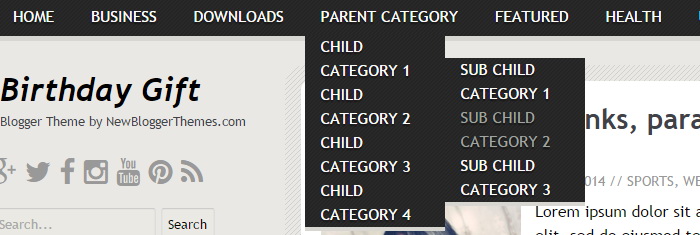
Find this in “Edit HTML”:
<nav aria-label='Primary Menu' class='menunbt' id='menu-primarynbt' role='navigation'>
<ul class='menu-itemsnbt' id='menu-primary-items'>

<li><a expr:href='data:blog.homepageUrl'>Home</a></li>

<li><a href='#'>Business</a>
<ul class='sub-menu'>
<li><a href='#'>Internet</a></li>
<li><a href='#'>Market</a></li>
<li><a href='#'>Stock</a></li>
</ul>
</li>

...

</ul>
</nav><!-- #menu-primary -->
Replace “#” marks with real URLs and change anchor texts as you like.
How To Configure Social Buttons
Find this in “Edit HTML”:
<div class='social-buttonsnbt'> <a href='https://plus.google.com/' rel='nofollow' target='_blank' title='Google Plus'><i class='fa fa-google-plus'/></a> <a href='https://twitter.com/' rel='nofollow' target='_blank' title='Twitter'><i class='fa fa-twitter'/></a> <a href='https://www.facebook.com/' rel='nofollow' target='_blank' title='Facebook'><i class='fa fa-facebook'/></a> <a href='http://instagram.com/' rel='nofollow' target='_blank' title='Instagram'><i class='fa fa-instagram'/></a> <a href='https://www.youtube.com/' rel='nofollow' target='_blank' title='Youtube'><i class='fa fa-youtube'/></a> <a href='http://www.pinterest.com/' rel='nofollow' target='_blank' title='Pinterest'><i class='fa fa-pinterest'/></a> <a expr:href='data:blog.homepageUrl + "feeds/posts/default"' rel='nofollow' target='_blank' title='RSS'><i class='fa fa-rss'/></a> </div>
Add your own social links replacing default social profile URLs.
How To Add Links to Bottom Navigation Menu

Go to “Layout”. Click on “Edit” link of “Edit This Menu” widget.
Now add your links to that link list widget.
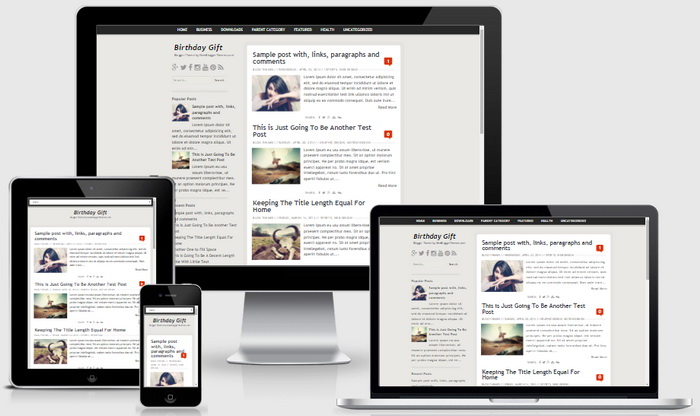
Birthday Gift Blogger Template Responsive View




Hello admin,
i like your themes , i also used the same.