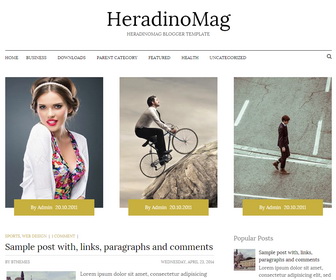
HeradinoMag is a Responsive, SEO friendly, minimal and beautiful, 2 columns blogger template with 4 columns footer widgets area. HeradinoMag Blogger Template has auto post summaries, related posts, social profile buttons, Feedburner email subscribe box, scroll to top button, animated search box, Google fonts and more.
How To Configure Featured Posts
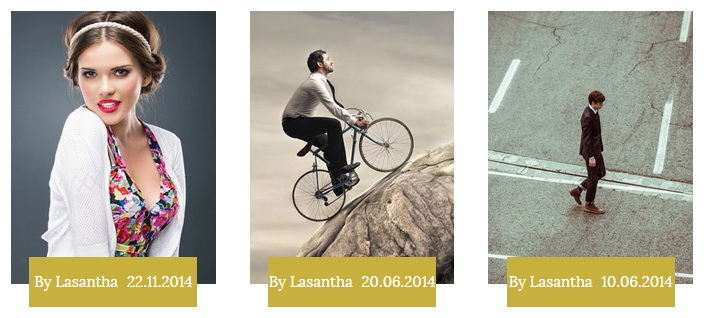
Find this in “Edit HTML”:
<div id='swt-featured-posts'>
<ul>

<li class='featured-post-nbt'>
	<article>
		<h3 class='featured-post-title-nbt'><a href='#'>Pomnis voluptas assumenda</a></h3>

		<a href='#'><img src='http://2.bp.blogspot.com/-I-7qm1vfZ4k/VG_Qgph4REI/AAAAAAAANUo/MCajSLvm2u0/s1600/slide-1.jpg'/></a>
		<div class='featured-byline-nbt'>
			<span class='entry-authornbt'>by <a href='#'><span>Lasantha</span></a></span>
			<time class='entry-publishednbt'>22.11.2014</time>
		</div><!--.featured-byline-->
	</article> <!-- .slide -->
</li>

...

</ul>
</div>
There are 3 featured posts. You can change current title, image address (300px × 400px), author name and posted date of each featured post.
How To Add Links to Top Navigation Menu
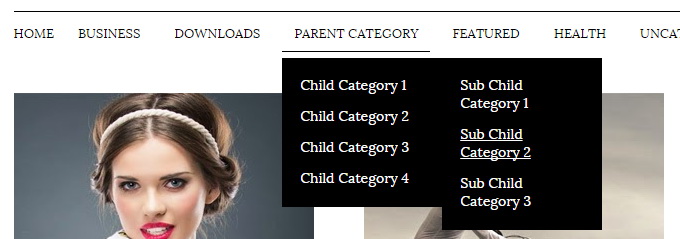
Find this in “Edit HTML”:
<ul class='menu-itemsnbt' id='menu-primary-itemsnbt'>

<li><a expr:href='data:blog.homepageUrl'>Home</a></li>

<li><a href='#'>Business</a>
<ul class='sub-menu'>
<li><a href='#'>Internet</a></li>
<li><a href='#'>Market</a></li>
<li><a href='#'>Stock</a></li>
</ul>
</li>

...

<li><a href='#'>Uncategorized</a></li>

</ul>
Replace “#” marks with real URLs and change anchor texts as you like.
How To Configure Email Subscribe Box
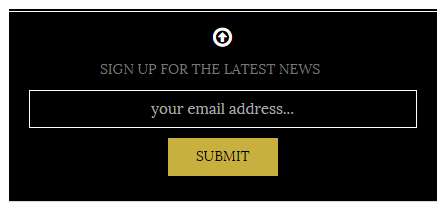
Find this in “Edit HTML”:
<form action='http://feedburner.google.com/fb/a/mailverify' id='signupnbt' method='post' onsubmit='window.open('http://feedburner.google.com/fb/a/mailverify?uri=newbthemes', 'popupwindow', 'scrollbars=yes,width=550,height=520');return true' target='popupwindow'> <span class='newsletter-textnbt'>Sign up for the latest news</span> <input class='newsletter-emailnbt' id='emailnbt' name='email' placeholder='your email address...' type='text' value=''/> <input name='uri' type='hidden' value='newbthemes'/> <input name='loc' type='hidden' value='en_US'/> <input class='newsletter-submitnbt' type='submit' value='Submit'/> </form>
Add your feedburner ID replacing my feedburner ID (newbthemes).
How To Configure Social Buttons
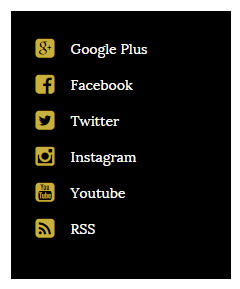
Find this in “Edit HTML”:
<ul id='swt-social-profiles'> <li><a href='https://plus.google.com' rel='nofollow' target='_blank'>Google Plus</a></li> <li><a href='https://www.facebook.com' rel='nofollow' target='_blank'>Facebook</a></li> <li><a href='http://twitter.com' rel='nofollow' target='_blank'>Twitter</a></li> <li><a href='http://instagram.com'>Instagram</a></li> <li><a href='https://www.youtube.com'>Youtube</a></li> <li><a expr:href='data:blog.homepageUrl + "feeds/posts/default"' rel='nofollow' target='_blank'>RSS</a></li> </ul>
Add your social profile URLs replacing these social media networks homepages URLs.
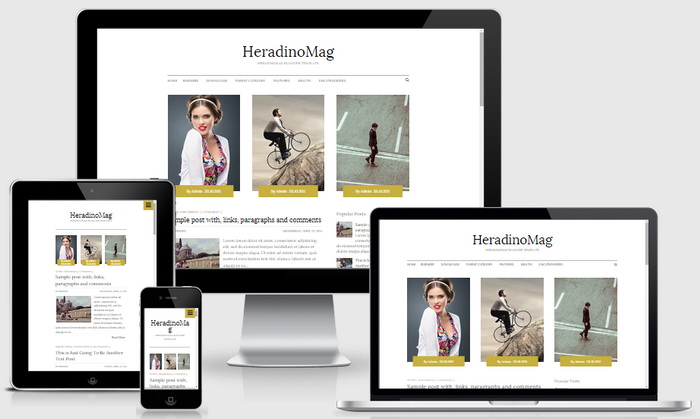
HeradinoMag Blogger Template Responsive View:




hi,
thanks for the wonderful templete
i have problem with the number blog post in main page
is it because my page is to heavy, the web min my post. or because the template max the post to 5?
if not. Please help me to max the post to 8. your help really in need.
thanks
1. Use Blogger "After the Jump" feature (read more) in your longer posts.
2. Reduce image sizes/ optimize images.
3. Remove unnecessary widgets.
You have no idea how much you've helped me!
I LOVE the template, but I just want to make it little bit girly, so I have a question.
Is there a way for me to change this yellow/brown colour of featured posts?
Thank you.