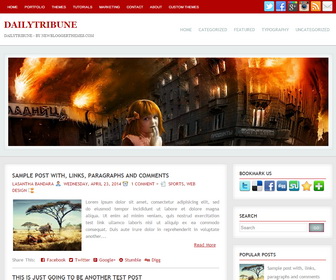
DailyTribune is a simple and elegant, SEO friendly Blogger template with auto post summaries on homepage. DailyTribune Blogger Template comes with 2 columns layout with right sidebar, structured data, featured image slider, top and header navigation menus, social and share buttons, AddThis share widget, related posts, Right Sidebar and more.
How To Add Links to Top Navigation Menu

Find this in “Edit HTML”:
<!-- TOP MENU -->
<ul class='topmenunbt'>
  <li><a href='#'>Home</a></li>
  <li><a href='#'>Portfolio</a></li>
  <li><a href='#'>Themes</a></li>
  <li><a href='#'>Tutorials</a></li>
  <li><a href='#'>Marketing</a></li>
  <li><a href='#'>Contact</a></li>
  <li><a href='#'>About</a></li>
  <li><a href='#'>Custom Themes</a></li>
</ul>
<!-- END TOP MENU -->
Replace “#” marks with real URLs and change anchor texts as you like.
How To Configure Social Buttons

Find this in “Edit HTML”:
<div id='topsocnbt'> <a href='http://twitter.com/' target='_blank'><img alt='Twitter' src='http://1.bp.blogspot.com/-tLOdCdFwBXw/U8iX_exEUqI/AAAAAAAALpY/7BcWFjPggaA/s1600/twitter.png' title='Twitter'/></a> <a href='http://facebook.com/' target='_blank'><img alt='Facebook' src='http://1.bp.blogspot.com/-nv46iRQK3X4/U8iX4shPe9I/AAAAAAAALnM/nYuMF8B-Mvo/s1600/facebook.png' title='Facebook'/></a> <a href='https://plus.google.com/' target='_blank'><img alt='Google Plus' src='http://1.bp.blogspot.com/-zHK_1k86vWY/U8iX5rrgKmI/AAAAAAAALng/p2zFsZEofAw/s1600/google.png' title='Google Plus'/></a> <a href='http://instagram.com/' target='_blank'><img alt='Instagram' src='http://2.bp.blogspot.com/-9qHtPdtA-gE/U8iX531XNwI/AAAAAAAALnk/6wD_u6wtZhs/s1600/instagram.png' title='Instagram'/></a> <a expr:href='data:blog.homepageUrl + "feeds/posts/default"' target='_blank'><img alt='RSS Feed' src='http://4.bp.blogspot.com/-gaY23lvGKgY/U8iX74xUO8I/AAAAAAAALoM/wjdRu1yErfY/s1600/rss.png' title='RSS Feed'/></a> <a href='mailto:your@email.com' target='_blank'><img alt='Email' src='http://3.bp.blogspot.com/-V6TDR3wxbxA/U8iX6Z0eCAI/AAAAAAAALns/DKqXbbxJrMY/s1600/mail.png' title='Email'/></a> </div>
Add your social profile URLs replacing default social media networks URLs.
How To Add Links to Header Navigation Menu

Find this in “Edit HTML”:
<!-- HEADER MENU -->
<div id='nav2nbt'>
<ul class='menuheadernbt'>
  <li><a href='#'>Home</a></li>
  <li><a href='#'>Categorized</a></li>
  <li><a href='#'>Featured</a></li>
  <li><a href='#'>Typography</a></li>
  <li><a href='#'>Uncategorized</a></li>
</ul>
</div>
<!-- END HEADER MENU -->
Replace “#” marks with real URLs and change anchor texts as you like.
How To Configure Featured Image Slider:

Find this in “Edit HTML”:
<div id='slidernbt'>
<div id='coin-slider'>

  <a href='#'><img src='http://4.bp.blogspot.com/-yEr1oTo-fZM/VFA73JbII3I/AAAAAAAAMdc/ILCgugX7M0M/s1600/slide-1.jpg'/></a>

  <a href='#'><img src='http://4.bp.blogspot.com/-KzWfXmVZY3A/VFA74anab2I/AAAAAAAAMdk/41IrgBhWOEM/s1600/slide-2.jpg'/></a>

  <a href='#'><img src='http://2.bp.blogspot.com/-nRsrgYkOPbA/VFA75zRzdJI/AAAAAAAAMds/ecRYkHv5jTk/s1600/slide-3.jpg'/></a>

</div>
</div>
There are 3 slides in the slider. You can add or remove more slides if you want.
Now replace, “#” marks with your slide link and slide image URL for each slide.



