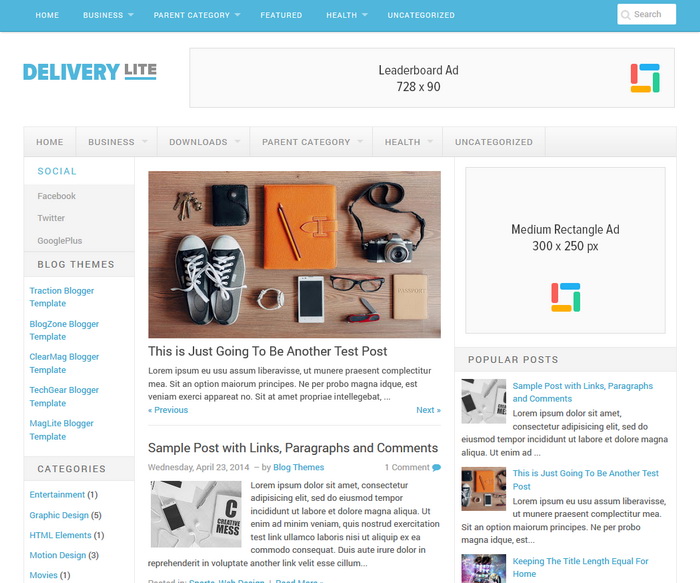
Delivery Lite Blogger template is a minimalist, beautiful, modern and mobile-friendly responsive magazine theme for blogger blogs. Delivery Lite is great for online magazines websites, news websites or personal blogs, because the minimalism it will give content-focused effect to your reader. Delivery Lite Blogger Template has colors and font options, featured posts slider, auto post summaries, related posts with thumbnails, social profile links, share buttons, 2 multi-level navigation menus, left and right sidebars, 4 columns footer and more.
How To Add Links to Primary Navigation Menu
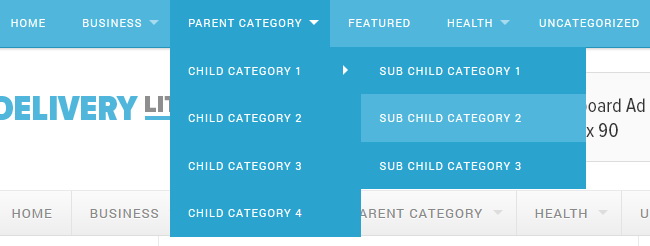
Find this in “Edit HTML”:
<ul class='menu-primary-items sf-menu' id='menu-primary-items'>

<li><a expr:href='data:blog.homepageUrl'>Home</a></li>

<li><a href='#'>Business</a>
<ul class='sub-menu'>
<li><a href='#'>Internet</a></li>
<li><a href='#'>Market</a></li>
<li><a href='#'>Stock</a></li>
</ul>
</li>

<li><a href='#'>Parent Category</a>
<ul class='sub-menu'>
<li><a href='#'>Child Category 1</a>
<ul class='sub-menu'>
<li><a href='#'>Sub Child Category 1</a></li>
<li><a href='#'>Sub Child Category 2</a></li>
<li><a href='#'>Sub Child Category 3</a></li>
</ul>
</li>
<li><a href='#'>Child Category 2</a></li>
<li><a href='#'>Child Category 3</a></li>
<li><a href='#'>Child Category 4</a></li>
</ul>
</li>

<li><a href='#'>Featured</a></li>

<li><a href='#'>Health</a>
<ul class='sub-menu'>
<li><a href='#'>Childcare</a></li>
<li><a href='#'>Doctors</a></li>
</ul>
</li>

<li><a href='#'>Uncategorized</a></li>

</ul>
Replace “#” marks with real URLs and change anchor texts as you like.
How To Add Links to Secondary Navigation Menu
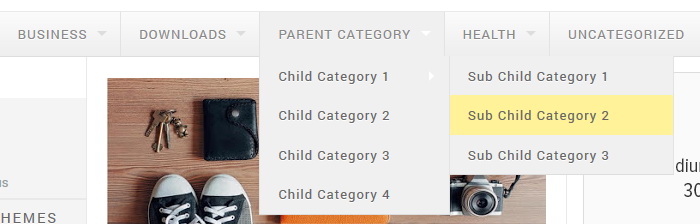
Find this in “Edit HTML”:
<ul class='menu-secondary-items sf-menu' id='menu-secondary-items'>

<li><a expr:href='data:blog.homepageUrl'>Home</a></li>

<li><a href='#'>Business</a>
<ul class='sub-menu'>
<li><a href='#'>Internet</a></li>
<li><a href='#'>Market</a></li>
<li><a href='#'>Stock</a></li>
</ul>
</li>

<li><a href='#'>Downloads</a>
<ul class='sub-menu'>
<li><a href='#'>Dvd</a></li>
<li><a href='#'>Games</a></li>
<li><a href='#'>Software</a>
<ul class='sub-menu'>
<li><a href='#'>Office</a>
</li>
</ul>
</li>
</ul>
</li>

<li><a href='#'>Parent Category</a>
<ul class='sub-menu'>
<li><a href='#'>Child Category 1</a>
<ul class='sub-menu'>
<li><a href='#'>Sub Child Category 1</a></li>
<li><a href='#'>Sub Child Category 2</a></li>
<li><a href='#'>Sub Child Category 3</a></li>
</ul>
</li>
<li><a href='#'>Child Category 2</a></li>
<li><a href='#'>Child Category 3</a></li>
<li><a href='#'>Child Category 4</a></li>
</ul>
</li>

<li><a href='#'>Health</a>
<ul class='sub-menu'>
<li><a href='#'>Childcare</a></li>
<li><a href='#'>Doctors</a></li>
</ul>
</li>

<li><a href='#'>Uncategorized</a></li>

</ul>
Replace “#” marks with real URLs and change anchor texts as you like.
How To Configure Social Links
Find this in “Edit HTML”:
<ul>
<li>
   <a href='#'>Social</a>
   <ul class='children'>
      <li><a href='https://www.facebook.com/newbthemes' rel='nofollow' target='_blank' title='Facebook'>Facebook</a></li>
      <li><a href='https://www.facebook.com/newbthemes' rel='nofollow' target='_blank' title='Twitter'>Twitter</a></li>
      <li><a href='https://plus.google.com/+Newbloggerthemes/posts' rel='nofollow' target='_blank' title='GooglePlus'>GooglePlus</a></li>
   </ul>
</li>
</ul>
Add your own social links replacing our social links.
How To Configure Featured Posts Slider: PRO Version
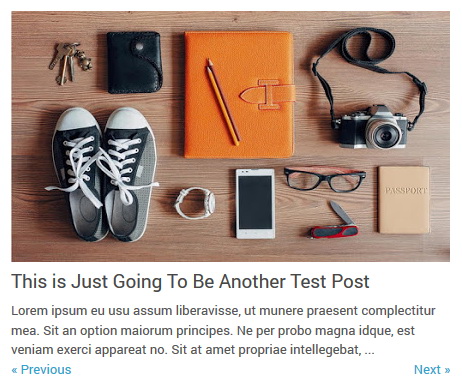
This slider widget automatically displays posts from a given label name. Go to “Layout” page.
Click on the edit link of “Featured Posts Slider Widget” widget and add this code:
<script src='https://YOURBLOGNAME.blogspot.com/feeds/posts/default/-/LABELNAME?alt=json-in-script&callback=deliveryliteliderposts&max-results=5'/></script>
Replace “https://YOURBLOGNAME.blogspot.com” with your real blog address.
Replace “LABELNAME” with the real label name you want to retrieve posts.
Replace “5” with the number of posts you need to load in the slider.
Example:
<script src='https://delivery-lite.blogspot.com/feeds/posts/default/-/Graphic Design?alt=json-in-script&callback=deliveryliteliderposts&max-results=5'/></script>
Save your widget.
How To Configure Featured Posts Slider: FREE Version
There are 4 slides in the slider. You can add or remove more slides if you want.
To configure first slide, find this in “Edit HTML”:
<!-- slide 1 code start -->
<li><a href='ENTER-SLIDE-1-LINK-HERE'><img src='http://3.bp.blogspot.com/-QwrN-SnFI20/U3l-FotfmYI/AAAAAAAAJRI/JuS4fpuSJKA/s1600/slide-image-1.jpg'/></a><header class='entry-header'><h1 class='entry-title'><a href='ENTER-SLIDE-1-LINK-HERE'>Enter Slide 1 Title Here</a></h1></header><div class='entry-summary'>This is slide 1 description. Go to Edit HTML of your blogger blog. Find these sentences. You can replace these sentences with your own words. This is a Blogger template by NewBloggerThemes.com....</div></li>
<!-- slide 1 code end -->
Now replace,
“ENTER-SLIDE-1-LINK-HERE”s with your real slide link,
“Enter Slide 1 Title Here” with your real slide title,
“http://3.bp.blogspot.com/-QwrN-SnFI20/U3l-FotfmYI/AAAAAAAAJRI/JuS4fpuSJKA/s1600/slide-image-1.jpg” with your slide image URL,
“This is slide 1 description. Go to Edit HTML of your blogger blog. Find these sentences. You can replace these sentences with your own words. This is a Blogger template by NewBloggerThemes.com….” with your real slide description.
This procedure is same for other slides.
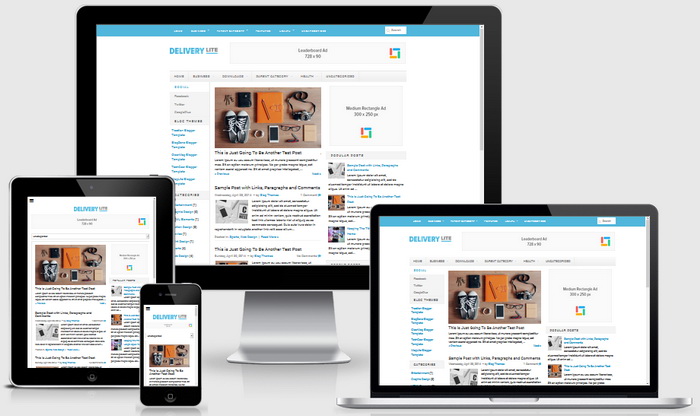
Delivery Lite Blogger Template Responsive View




Hello: How can I remove those social links facing to your facebook, twitter and google plus account? Thanks
go to Edit HTML and replace my social links with yours.
I like this template. can u help me how to convert this to html.
very nice interface
Hi, loved this template…. How to readjust the post’s picture size? I mean, i wanna convert the snippet’s image from rectangle to a quared one…. how to do it???
need to do changes to the ".pbtthumbimg" class.
how to increase the width of the main area? i mean, the posts area and how to increase the size of image summary thumbs?
PLEASE HELP ME!
my ignorance, have been covered by your kindness to provide insights about the blog template to help me, to be more beneficial to all.
thank you for your good favor, may God bless you and your family business.
I really like this template. I will probably use it in my next blog. Thanks
Do you have Delivery Lite Blogger Template premium?
if you need a customization adding more features, use contact form. thanks.
Plz let me know gow to get this template in HTML. It is in xml. thanks in advance.
yes, this is a blogger template, not HTML theme.
Hi there! I am loving this awesome template but I would love to adjust the width of my main content column. May I know how do I do so? thank you.
How i can modify the dimensions of the logo?
Thx
Hi
How to delete the left slid bar ?
Thank you so much
you can delete it through “Edit HTML”, but will not look good.
Beautiful design! Great work! Question: the photos in the posts displayed seem to have a fixed size to around 137 x 100. Is there a way to maintain the original aspect ratio so the portrait format photos are not squeezed? Thanks in advance!
try doing adjustments to .pbtthumbimg CSS class.
Please i have used this template on my blogger blog how can imake the slider show on computer, it is only showing on mobile device .
thanks
slider is showing on both desktop and mobiles.
Hi
How to change the Favicon image?
I try to change it at layout, but the look is still blogger icon.
Thank you so much
Oooppss
forget my question. I see my Favicon, after I refresh my browser. Maybe, my internet connection is the problem.
Can you tell me, how to create left slider for my other blog (using another template)?
And Thanks again for your template.
hello,
cool template but posts appear double. there is a solution. thank you
This may be an problem between your old template and Delivery Lite theme. can you give me your URL?
Hello Friends My Blog Show Main Page Only 3posts And 2nd Page Show only 4posts in my http://www.easyyar.com
your blog is using lot of images. this is not a theme problem. read about limits on blogger:
https://support.google.com/blogger/answer/42348
Hi, thanks
I am using your template on my blog 🙂
Yes ! I Have used this template on 3 blog site 🙂 whatever i used think useless .. this very good with header banner <3
how to add related posts in this template?
hi, how could i change the width in the right column ?
Hi,
How to increase the number of visible post in the main page?
Thanks.
use blogger settings.
Hi,
I'm just wondering why the no of post in the main page is just 4 even if I set the Blog Post # of post to 10?
Thanks.
read limits on Blogger:
https://support.google.com/blogger/answer/42348
Cannot figure out how to put my logo in the header, and how to insert the ad spaces as yours is
you can do both things going to "Layout" page.
When I go through 'Layouts' page – and upload my image for header banner, it shrinks the image down very small. Is there a way to enlarge the header banner for a larger imagine size? Thank you! Love this!
Hi Melissa,
As you can see in the theme demo, theme header has divided into 2 parts (logo + 728×90 banner). If you nee,d I can customize the theme to make a full width header for a small fee. Please use contact form.
Thanks.
awesome, thanks! I'll send you a direct message.
hello good day
i need to know how to put related post on every posting in delivery lite template?
please advice..
thx u
This is a wonderful and perfect template, please i would like the slider to pause on mouse hover, can you kindly direct me on how that is possible with delivery lite template.
Thanks.
Hi, It is not possible without some customization.
I was thinking of buying the premium version, but I was wondering if it is possible to remove the comment graphic and number that appears on the front page and in search. I do not want to use comments so I don't want there to be zero comments shown for each post.
Hi, send the template file when you buy it. I will do this change for you. thanks.
Very nice theme (: Enjoying it and would highly recommend everyone!
Ok Thank you for your theme…Success..
how to change sidebar width?
help me please…
nice template
for paid templates, can it be changed from 3 columns to just 2 columns?
There are 2 columns version and 3 columns in the theme zip file.
dear admin, can i buy this them ?? pliss send my email how to buy, i wanna delet credite them,,,i very intrest with them
You can use Buy Now link given above to purchase it.
So impressive template